5 Steps to Creating an Awesome Instagram Profile

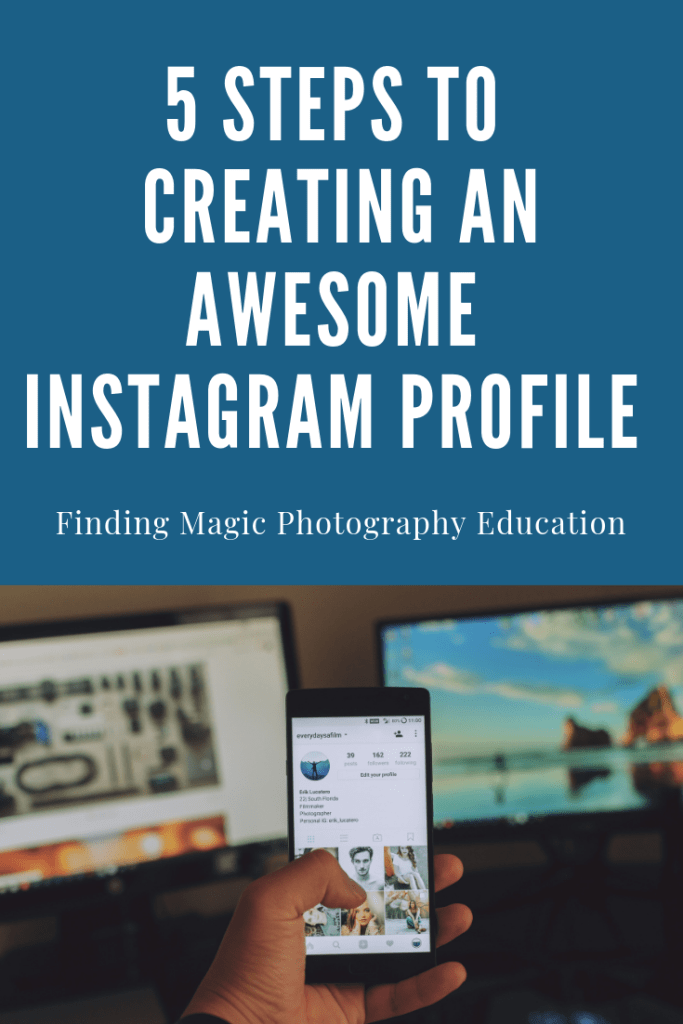
When you open your Instagram account and click on edit profile, a new window will open up with the following 5 fields for you to customize.   Let’s walk through each field and the guidelines for setting up each one.
Profile Photo 

I suggest using a picture of yourself, rather than a logo.  Prospective clients want to see the person they are considering working with and it helps to put a face to a name.  Ideally, you want to have the same profile picture across all of your social media platforms so that if someone is looking at your accounts on different platforms, they can tell by your profile picture that it is the same person/business. 

Name  

Your username is likely your business name so you don’t want to repeat the same thing in your name category.  The name category is searchable so you need to use keywords in the name field. For example, On Finding Magic’s Instagram account, our name is “Photography Tips and Tutorials”.   On my Instagram account, Shana C. Carter Photography, my name is “Senior & Family Photographer”. So think of what your potential clients might be searching for and use those terms in the name field.

Username

This is where you will use your business name.

Website

On Instagram, we only get one clickable link and it’s here, in the website field.  Now just because it says website, doesn’t mean you actually have to put your website.  You can put a link to your email opt-in or blog. Or better yet, you can optimize your link by doing THIS.

Bio

In this field, you get 150 characters to tell the world who you are and what you do.  You want to convey your brand’s personality and speak to the wants and needs of your potential clients.

If you are a bit stuck on what to write in this field, I recommend checking out Jessica Stansberry’s Lens Statement Creator.

Remember to include your location in your bio if appropriate.  You can also include any relevant hashtags as those will be clickable. 

PRO TIP:  Type your bio in your notes on your phone and then copy and paste so that it will retain the format.If you want more ideas about how to maximize you one link, check out this FREE Tutorial
Finding Magic Online Photography Education

Finding Magic is a community for photographers that encompases the following digital spaces:

We help ambitious photographers gain the confidence and knowledge needed in order to grow their business.  We would like to give you a little more information about each of our platforms…

Facebook group

We know you are probably in 5 million Facebook groups and you’re probably wondering why you need to be in another one.  

Here’s 3 reasons YOU need to join the Finding Magic Facebook group:

✨We provide {FREE} and relevant education

✨We are a supportive community; questions are encouraged

✨This group will help you gain confidence in yourself and therefore in your business

Our Facebook group is very active with lots of engagement, weekly contests and interviews.

We would love to have you join in on the conversation! 


Instagram

Our Instagram account hosts a variety of tutorials exclusive to our IGTV channel.  IGTV is Instagram TV and much like YouTube, is a place to view full length videos. We love to feature our members on our feed as well as provide relevant content and education in our captions and our stories.


Blog

Although we are just starting our blog, we have so many exciting things planned!  Our blogs will now host our weekly photographer interviews as well as articles of interest for our followers.


Online Photography eLearning Site

Finding Magic Online Photography Education is a subscription based collaboration between Shana C. Carter photography and Maribella Portraits. We offer step by step video instruction through editing and shooting videos. There are over 140 videos that cover everything from our favorite photoshop tools, to marketing and sales. In addition, our video library includes Spanish and English tutorials.  

There are two ways to access the site’s resources.  One way is to purchase a monthly subscription to the site for a  to gain instant access to 140+ tutorials and resources. The other way is to purchase videos one at a time based on your individual learning needs.  You choose the way that works best for you!  

So what all is included in your subscription?

  • hand editing techniques that will enable you to create images that captivate
  • behind the scenes shooting videos
  • styling guides
  • hair and make-up tutorials
  • natural light & studio editing tutorials
  • business resources: systems, client management & sales
  • new content released monthly

Obviously, the monthly subscription is a smarter investment by far!  At only $35 per month, you will more than cover the cost of your investment with just one client.   You’ll gain access to a wealth of knowledge for just a little over one dollar per day. The membership is on a month-to-month basis, so you can cancel anytime.

Be sure and explore the site and locate our {FREE} resources area.  We have several free tutorials and videos available.  

So come hang out and learn with us!

❤️Maria & Shana

Design a site like this with WordPress.com
Get started